Broken internal links can quietly undermine your website’s user experience and search engine performance. When visitors or search engines encounter links that lead to non-existent pages, it disrupts navigation, increases bounce rates, and can even harm your SEO efforts. Addressing these issues is essential for maintaining a healthy, high-performing site. In this guide, you’ll learn practical steps to identify, repair, and prevent broken internal links, ensuring your site remains accessible and search-friendly.
If you’re interested in broader strategies for link building, you might also want to explore how to improve SEO with broken link building for additional insights.

Understanding the Impact of Broken Internal Links
Internal links are the backbone of your website’s structure. They guide users from one page to another, help search engines crawl your site efficiently, and distribute authority across your content. When these links break—due to deleted pages, URL changes, or simple typos—they create dead ends that can frustrate visitors and confuse search engines.
- User Experience: Visitors encountering 404 errors may leave your site, reducing engagement and conversions.
- SEO Performance: Search engines may struggle to index your content properly, which can negatively affect your rankings.
- Site Authority: Link equity is lost when internal links point to non-existent pages, weakening your overall site strength.
How to Identify Broken Internal Links
The first step in resolving internal link issues is to find them. There are several effective methods and tools for this task:
- Manual Checking: Browse your website and click on internal links to spot errors. While this can work for small sites, it’s not scalable for larger ones.
- Website Crawlers: Tools like Screaming Frog, Sitebulb, or Ahrefs Backlink Checker can scan your entire site and report broken links efficiently.
- Google Search Console: This free tool highlights crawl errors, including broken links, helping you pinpoint problem areas. For a step-by-step approach, see how to use Google Search Console for broken links.
Step-by-Step Process to Repair Internal Link Errors
Once you’ve identified broken links, follow these steps to fix them and restore your site’s integrity:
1. Update or Replace the Link
If the destination page still exists but the URL has changed, update the link to point to the correct address. For deleted content, consider linking to a relevant alternative page.
2. Restore Missing Pages (If Appropriate)
If a page was removed by mistake and still offers value, restore it. This instantly resolves any internal links pointing to that page.
3. Implement Redirects
When a page is permanently moved or deleted, set up a 301 redirect from the old URL to the most relevant new page. This preserves link equity and prevents users from encountering errors.
4. Remove Outdated Links
If there’s no suitable replacement, simply remove the broken link from your content to eliminate dead ends.

Best Practices to Prevent Internal Link Issues
Proactively managing your site’s internal linking structure reduces the risk of future problems. Here are some effective strategies:
- Maintain a Consistent URL Structure: Avoid unnecessary changes to URLs, and use clear, logical naming conventions.
- Regularly Audit Your Site: Schedule periodic scans with crawling tools to catch new broken links before they impact users or SEO.
- Use Relative Links Where Possible: Relative links are less likely to break during site migrations or domain changes.
- Document Content Changes: Keep track of page deletions or URL updates, and update internal links accordingly.
For those managing larger sites or running ongoing link building campaigns, learning how to scale broken link building campaigns can help streamline the process and minimize errors.
Tools and Resources for Managing Internal Links
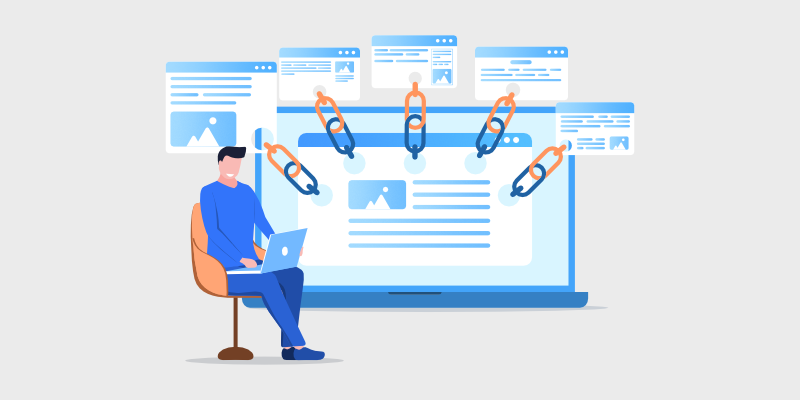
Leveraging the right tools can make the process of finding and fixing broken internal links much more efficient. Here are some popular options:
- Screaming Frog SEO Spider: A desktop crawler that provides detailed reports on broken links, redirects, and site structure.
- Ahrefs: Offers comprehensive site audits and broken link reports. Try their Backlink Checker for quick insights.
- Google Search Console: Free and effective for monitoring crawl errors and internal link issues.
- Sitebulb: Another robust crawler with visualizations to help you understand your site’s internal linking.
Common Pitfalls and How to Avoid Them
Even experienced site managers can make mistakes when dealing with internal links. Here are some frequent errors and how to sidestep them:
- Neglecting Regular Audits: Failing to check for broken links allows issues to accumulate unnoticed.
- Overlooking Redirect Chains: Multiple redirects can slow down your site and confuse search engines. Always update links to point directly to the final destination.
- Ignoring Orphaned Pages: Pages with no internal links are harder for users and search engines to find. Ensure every important page is linked from elsewhere on your site.
For more advice on what to watch out for, see what mistakes to avoid in broken link building.
Integrating Internal Link Maintenance into Your Workflow
Making internal link checks a routine part of your content updates and site maintenance helps prevent issues from recurring. Consider adding link audits to your editorial calendar, especially after major site changes or content migrations.
If you’re combining link building with content marketing, review how to combine broken link building with content marketing for strategies that keep your internal links strong while supporting your overall SEO goals.
Frequently Asked Questions
What causes internal links to break?
Internal links often break when pages are deleted, URLs are changed without updating references, or there are typos in the link addresses. Site migrations and content reorganizations can also introduce broken links if not managed carefully.
How often should I check my website for broken internal links?
It’s best to audit your site for broken links at least quarterly, or more frequently if you regularly add or update content. Automated tools can help schedule and streamline these checks.
Can broken internal links affect my search rankings?
Yes, broken links can negatively impact SEO by making it harder for search engines to crawl your site and by reducing link equity. They also harm user experience, which can indirectly affect your rankings.
What’s the difference between a 404 error and a redirect?
A 404 error occurs when a page cannot be found at the specified URL. A redirect (such as a 301) automatically sends users and search engines to a different, usually relevant, page instead of showing an error.
Conclusion
Maintaining a robust internal linking structure is essential for both user experience and search engine optimization. By regularly auditing your site, promptly fixing broken links, and following best practices, you can ensure your website remains accessible and authoritative. Use the recommended tools and strategies to keep your site healthy and your visitors engaged.